
Field service organizations today are under increasing pressure to deliver faster, smarter, and more cost-efficient service. Whether you’re managing technicians, scheduling jobs, or optimizing inventory, the platform you choose plays a critical role in operational success.
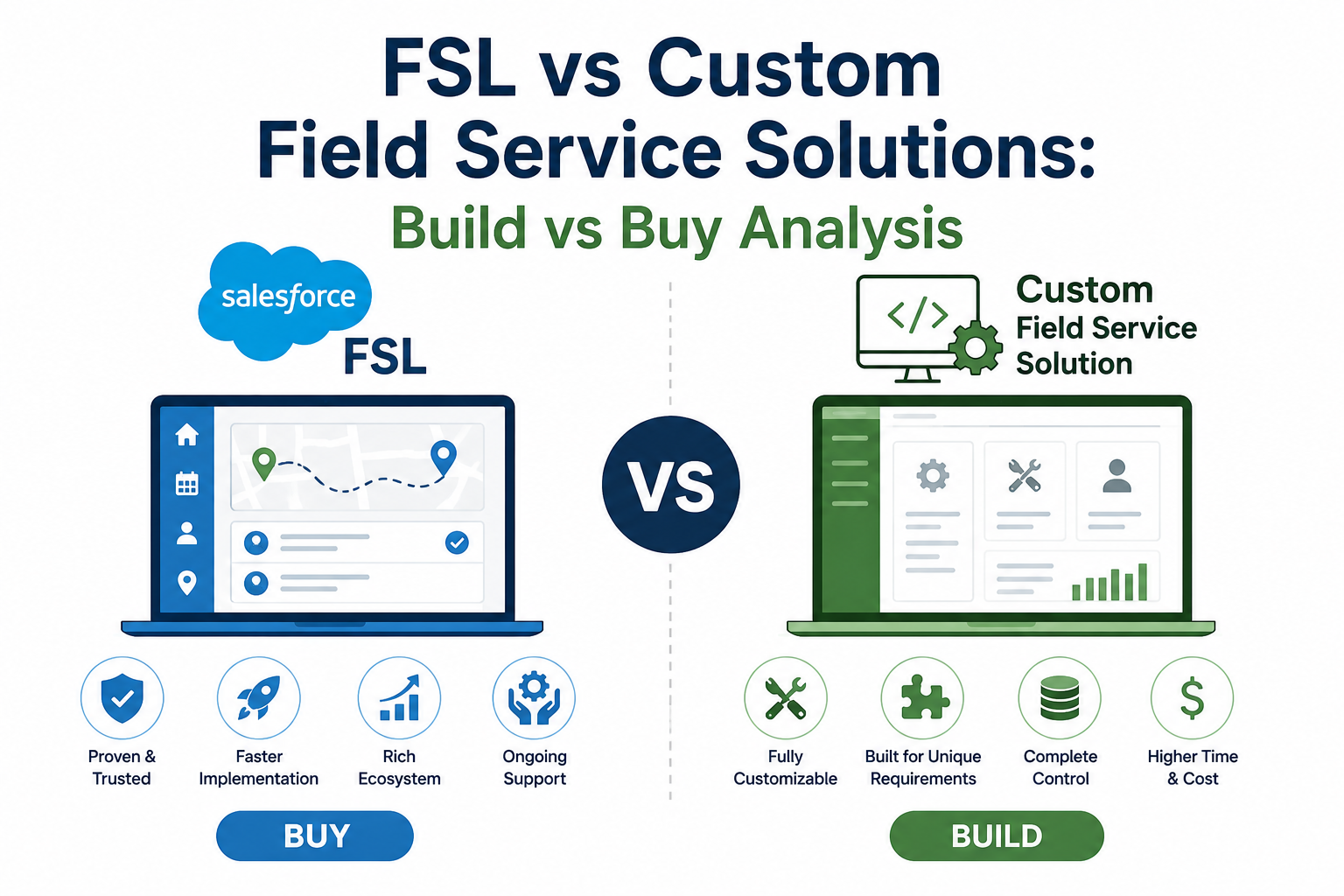
One of the most important strategic decisions is: Should you use Salesforce Field Service (FSL) or build a custom field service solution?
This blog provides a detailed build vs buy analysis, helping you evaluate both options across cost, scalability, flexibility, and long-term ROI.
What is Salesforce Field Service (FSL)?
Salesforce Field Service (formerly Field Service Lightning) is a purpose-built, enterprise-grade field service management solution integrated within the Salesforce ecosystem. It offers:
- Intelligent scheduling and dispatching
- Mobile app for technicians
- Work order and asset management
- AI-driven optimization
- Real-time visibility and analytics
What is a Custom Field Service Solution?
A custom solution is built from scratch (or semi-custom using platforms like Salesforce, AWS, or others) tailored to your specific business processes. It provides:
- Fully customized workflows
- Tailored UI/UX for your team
- Flexible integrations
- Industry-specific logic
Build vs Buy: Key Comparison Areas
1. Time to Market
FSL (Buy):
- Rapid deployment (weeks to a few months)
- Pre-built scheduling engine and mobile capabilities
Custom (Build):
- Long development cycles (6–18 months)
- Requires design, development, testing, and iteration
Verdict: FSL wins for speed and faster ROI.
2. Cost Consideration
FSL:
- Subscription-based licensing
- Lower upfront cost but recurring expense
Custom:
- High upfront investment (development + architecture)
- Ongoing maintenance, upgrades, and support costs
Verdict:
- Short-term: FSL is more cost-effective
- Long-term: Custom may be justified if highly optimized
3. Flexibility & Customization
FSL:
- Highly configurable but within platform constraints
- Complex customizations can become difficult
Custom:
- Unlimited flexibility
- Designed exactly to your workflows and edge cases
Verdict: Custom wins for extreme flexibility.
4. Scalability
FSL:
- Built on Salesforce’s scalable cloud infrastructure
- Handles enterprise-grade workloads seamlessly
Custom:
- Scalability depends on architecture quality
- Requires ongoing optimization
Verdict: FSL offers proven, out-of-the-box scalability.
5. Scheduling & Optimization
FSL:
- Advanced AI-based scheduling and routing
- Real-time optimization engine
- Handles constraints like skills, SLAs, travel time
Custom:
- Requires building complex algorithms
- High effort to match FSL capabilities
Verdict: FSL is significantly superior.
6. Maintenance & Upgrades
FSL:
- Automatic updates from Salesforce
- Continuous innovation (AI, automation, analytics)
Custom:
- Full responsibility for bug fixes, upgrades, and enhancements
- Technical debt risk over time
Verdict: FSL reduces operational burden.
7. Integration Ecosystem
FSL:
- Native integration with Salesforce ecosystem (Sales Cloud, Service Cloud, etc.)
- Strong API support
Custom:
- Flexible but requires development effort for each integration
Verdict: FSL is easier if you’re already in Salesforce.
8. User Experience
FSL:
- Standardized UI and mobile app
- Proven usability for field technicians
Custom:
- Can be optimized for specific user needs
- Requires UX design investment
Verdict: Depends on requirements; custom can outperform if well designed.
When Should You Choose FSL?
Choose Salesforce Field Service if:
- You want fast implementation and quick ROI
- Your processes align with industry best practices
- You need advanced scheduling and dispatch optimization
- You are already using Salesforce ecosystem
- You prefer low maintenance overhead
When Should You Build a Custom Solution?
A custom solution makes sense if:
- Your workflows are highly unique or complex
- You need full control over business logic
- You want to create a differentiated service experience
- You have internal technical expertise or budget
- You are solving niche industry problems not covered by FSL
Hybrid Approach: The Best of Both Worlds?
Many organizations today adopt a hybrid strategy:
- Use FSL as the core platform
- Extend it with custom components (Apex, Lightning, APIs)
- Integrate external systems for specialized needs
👉 This approach balances speed, scalability, and flexibility without reinventing the wheel.
Final Verdict: Build vs Buy
| Criteria | FSL (Buy) | Custom (Build) |
| Time to Market | ⭐⭐⭐⭐⭐ | ⭐⭐ |
| Cost (Initial) | ⭐⭐⭐⭐ | ⭐⭐ |
| Cost (Long-Term) | ⭐⭐⭐ | ⭐⭐⭐⭐ |
| Flexibility | ⭐⭐⭐ | ⭐⭐⭐⭐⭐ |
| Scalability | ⭐⭐⭐⭐⭐ | ⭐⭐⭐ |
| Maintenance | ⭐⭐⭐⭐⭐ | ⭐⭐ |
| Scheduling Engine | ⭐⭐⭐⭐⭐ | ⭐⭐ |
Conclusion
The decision between FSL and a custom field service solution ultimately depends on your business priorities, complexity, and growth strategy.
- If your goal is efficiency, speed, and proven capability → Choose FSL
- If your goal is innovation, differentiation, and control → Consider Custom Build
For most organizations, especially those already invested in Salesforce, FSL with strategic customization delivers the best balance of cost, performance, and scalability.